
How to Charge Per KM in WooCommerce — Free Step-by-Step Guide 2026
Learning how to charge per km in WooCommerce transforms your local delivery business by ensuring fair pricing based on actual distance traveled. This free step-by-step guide shows you exactly how to charge per km in WooCommerce automatically using Google Maps — eliminating overcharging nearby customers while protecting profits on distant deliveries.
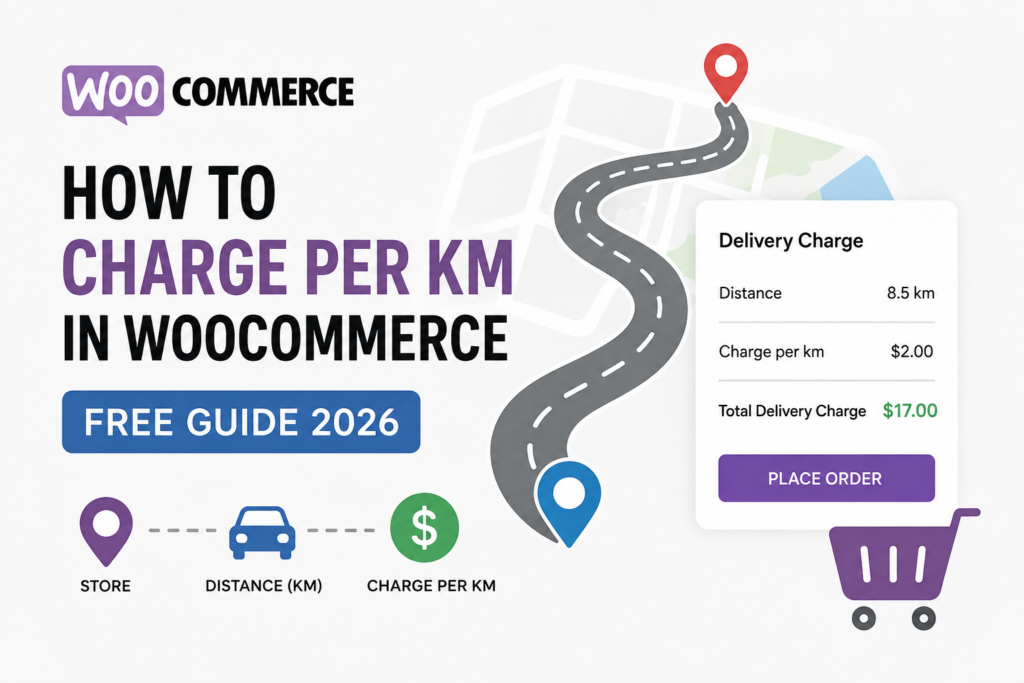
Table of Contents
- Why Charge Per KM in WooCommerce
- Flat Rate vs Per KM Comparison
- Free vs PRO Features
- Step-by-Step Setup Guide
- FAQ
Why You Should Charge Per KM in WooCommerce
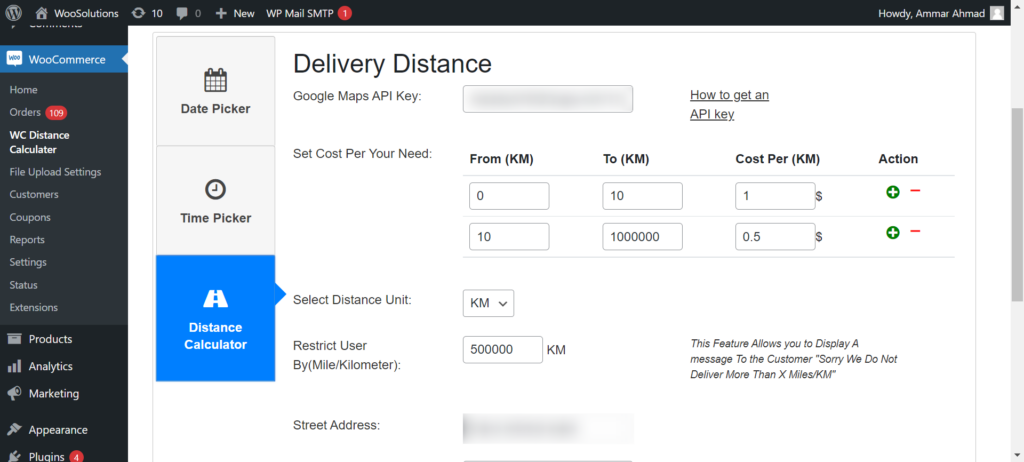
The Calculate Prices based on Distance For WooCommerce plugin shows you exactly how to charge per km in WooCommerce using Google Maps API to calculate exact distances and apply per-km or per-mile rates automatically. It eliminates manual zone management while providing accurate distance calculations for fair delivery fee determination using five integrated Google Maps APIs.
According to BigCommerce research, stores using distance-based pricing see up to 23% fewer abandoned carts compared to flat rate shipping.
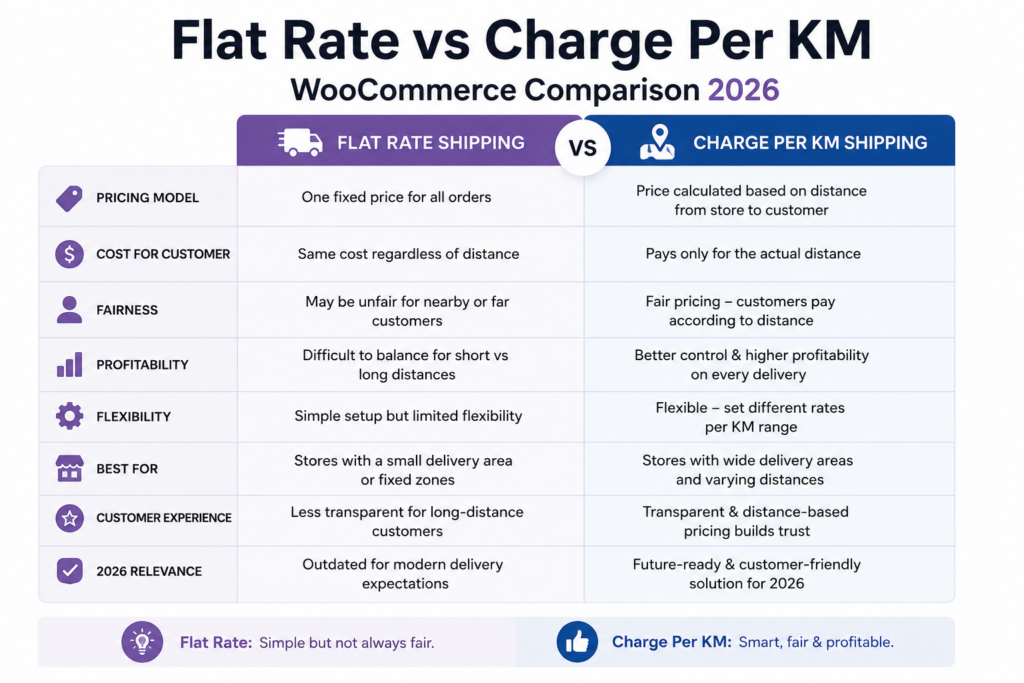
Flat Rate vs Charge Per KM in WooCommerce Comparison
| Traditional Flat Rate | Charge Per KM in WooCommerce |
|---|---|
| Same shipping cost regardless of distance | Accurate WooCommerce distance rate shipping |
| Overcharges nearby customers | Fair fee calculator for all locations |
| Manual zone management required | Automatic Google Maps distance calculation |
| Limited coverage areas | Unlimited delivery radius options |
Free vs PRO Features to Charge Per KM in WooCommerce
Free Version:
✅ Distance-Based Pricing — Automatically calculate shipping cost based on real distance
✅ Google Maps Address Autocomplete — Real-time address suggestions for better accuracy
✅ Charge Per KM or Mile — Fully customizable WooCommerce shipping fees
✅ Delivery Date and Time Picker — Allow customers to choose delivery slots
✅ Live Calculation Display — Customers see exact delivery fee instantly at checkout
✅ Block and Classic Checkout — Compatible with both WooCommerce checkout types
✅ Store Pickup Option — Let customers choose between delivery and pickup
PRO Version:
⚡ Advanced Pricing Rules — Create tiered pricing brackets (e.g., $5 for 0–5 KM, $10 for 5–15 KM)
⚡ Maximum Delivery Distance — Restrict deliveries beyond a certain radius
⚡ Dual Address Fields — Allow pricing between two locations (e.g., pickup and drop-off)
⚡ Priority Handling and Advanced Scheduling — Set time slot limits, preparation times, and lead times
⚡ Admin Label Customization — Rename plugin labels for better customer UI experience
⚡ Free Delivery Threshold — Automatically waive delivery fee above a cart total
How to Charge Per KM in WooCommerce — Step-by-Step Setup
Step 1: Install the Free Plugin
In WordPress go to Plugins → Add New, search “Calculate Prices based on Distance For WooCommerce” then Install and Activate. Or download directly from WordPress.org.
Step 2: Get Your Google Maps API Key
Create two secure API keys in Google Cloud Console — one public key for the browser and one private key for the server. Follow our free guide: How to Get Google Maps API Key
Step 3: Enter Your Store Address
Go to WooCommerce → WC Distance Calculator and enter your store address. This is the starting point for all per km calculations.
Step 4: Set Your Per KM Rate
Select KM or Mile as your distance unit and enter your price per unit. For tiered pricing (e.g. $5 for 0-5km, $10 for 5-15km) upgrade to PRO. Follow our complete guide: Step-by-Step Setup Guide
Step 5: Enable PRO Tiered Pricing
Add distance brackets and set a maximum delivery radius to protect margins. Enable PRO features like tiered pricing
Step 6: Test at Checkout
Visit your checkout page, enter a test delivery address and click Calculate Delivery Fee. The exact per km fee will be applied instantly.
Test the Plugin Live (Free vs PRO Comparison): Try Live Demo
Watch our setup video for visual guidance and learn how our plugin works.
How to Charge Per KM in WooCommerce — FAQ
How do I charge per km in WooCommerce?
Install Calculate Prices Based on Distance For WooCommerce from WordPress.org. Add your Google Maps API keys, enter your store address, set your per km rate and the plugin automatically calculates the exact delivery fee for every customer order.
Do I need coding skills to charge per km in WooCommerce?
No! The plugin is 100% beginner-friendly with visual configuration. No coding required at any step.
Is Google Maps API required to charge per km in WooCommerce?
Yes but Google provides 10,000 free requests per month which covers most small store needs. Most stores never pay anything.
Does it work with WooCommerce Block Checkout?
Yes. The plugin is fully compatible with both Classic and Block-based checkout unlike many competitor plugins.
Can I set tiered pricing to charge per km in WooCommerce?
Yes. The PRO version supports tiered distance pricing brackets. For example $5 for 0-5km, $10 for 5-15km, $15 for 15-25km and so on.
Can I charge per mile instead of per km in WooCommerce?
Yes. Simply select Miles instead of KM in the plugin settings and all calculations will automatically switch to miles.
Start Charging Per KM in WooCommerce Today — Free
Stop losing money on flat rate delivery. Install the free plugin and start charging per km in WooCommerce automatically using Google Maps.
Last Updated: August 2026