
A WooCommerce Google Maps plugin integration eliminates manual zone calculations and provides accurate shipping cost woocommerce through automated Google Maps API connections. The Calculate Prices Based on Distance For WooCommerce solution solves complex woocommerce shipping fees challenges with intelligent shipping rates calculator for woocommerce automation.Below is the plugin page on wordpress.org
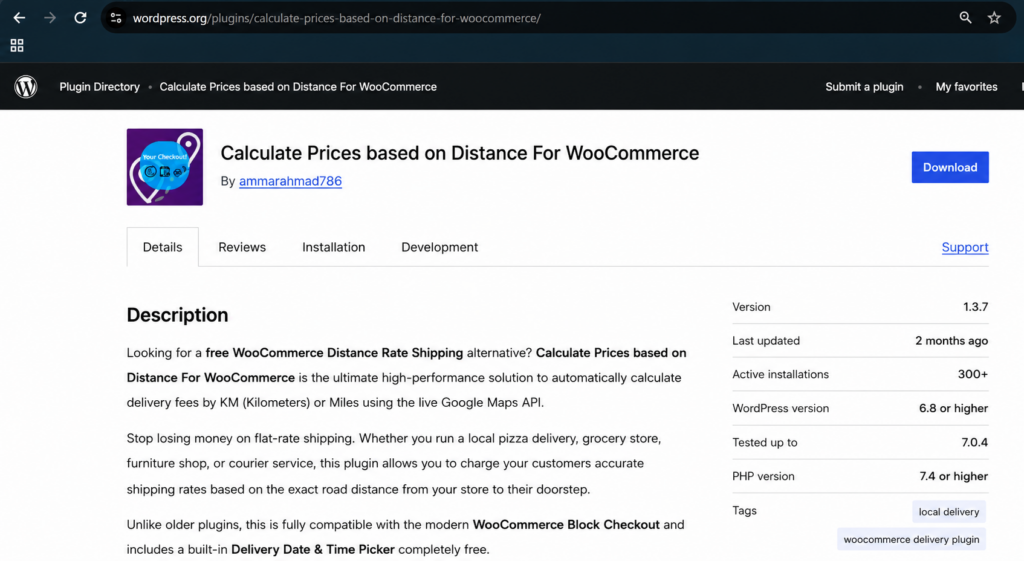
Table of Contents
- Why Use a WooCommerce Google Maps Plugin
- How It Solves Google Maps Integration Complexity
- Free vs PRO Features
- Setup Guide
- Common Questions
Why Use a WooCommerce Google Maps Plugin for Delivery Pricing
Most WooCommerce stores still price delivery using flat rates or manually drawn shipping zones. Neither approach reflects the real driving distance to a customer’s door, which means nearby customers often overpay and distant ones cost you money on every order. A WooCommerce Google Maps plugin fixes this by calculating live driving distance for every checkout, so pricing stays fair and accurate without you touching a spreadsheet or zone map ever again.
This matters even more for local businesses like restaurants, florists, and grocery delivery services, where delivery cost is a meaningful part of the customer’s decision to buy. A well-configured WooCommerce Google Maps plugin turns delivery pricing from a guessing game into a transparent, trust-building part of checkout.
How This WooCommerce Google Maps Plugin Solves Integration Complexity
The Calculate Prices Based on Distance For WooCommerce plugin simplifies Google Maps API integration with automated woocommerce calculate shipping functionality and precise shipping fee calculator calculations. This eliminates technical barriers while providing enterprise-level calculate shipping cost for woocommerce accuracy without requiring coding knowledge or complex configuration.
Unlike generic mapping integrations that require a developer to wire up manually, this WooCommerce Google Maps plugin comes pre-built specifically for delivery pricing — you paste in your API key, set your rate per kilometer or mile, and the plugin handles the rest automatically at checkout.
Free vs PRO Features
Free Version – Download Now
- Distance-based pricing – Automatically calculate delivery charges based on real-world driving distance
- Google Maps address autocomplete – Provides address suggestions in real time
- Charge per kilometer or mile – Fully customizable delivery charges based on preferred unit
- Delivery datepicker & timepicker – Allow customers to choose preferred delivery date and time
- Live calculation display at checkout – Customers see calculated delivery charges instantly
- Works seamlessly with WooCommerce Classic & Block checkout – Full compatibility with both checkout types
- Lightweight & easy to set up – Designed for store owners and non-developers
PRO Version – Upgrade here
- Advanced pricing rules – Create tiered pricing brackets (e.g., $5 for 0–5 KM, $10 for 5–15 KM)
- Maximum delivery distance – Restrict deliveries beyond a certain radius
- Dual address fields – Allow pricing between two locations (e.g., pickup & drop-off)
- Priority handling & advanced scheduling – Set time slot limits, preparation times, and lead times
- Admin label customization – Rename plugin labels for better customer UI experience
Setup Guide
Start by installing the free plugin from WordPress.org. Then follow our complete setup tutorials:
Step 1: Get your Google Maps API Key
Step 2: Configure your plugin for distance-based shipping
Step 3: Enable PRO features like tiered pricing
Learn how our plugin works.
Test the Plugin Live (Free vs PRO Comparison): Try Live Demo
Video Walkthrough
Watch this quick walkthrough of the WooCommerce Google Maps plugin in action:
Common Questions About This WooCommerce Google Maps Plugin
Q: Why choose Calculate Prices Based on Distance For WooCommerce over other plugins?
A: We offer the most accurate Google Maps integration with comprehensive woocommerce distance rate shipping features, all packaged as a single, focused WooCommerce Google Maps plugin.
Q: How quickly can I start using distance-based pricing?
A: Setup typically takes under an hour following our guides.
Q: Does it work internationally?
A: Yes, it supports worldwide shipping rates woocommerce calculations with local currencies.
Q: What about plugin conflicts?
A: Our code is optimized to work seamlessly with popular WooCommerce themes and plugins.
Need assistance? Visit our contact page. Explore all features at RoutePricing.com.