
WooCommerce Delivery Fee by Distance – Free Plugin 2026
Setting up a WooCommerce delivery fee by distance is the smartest way to charge customers fairly based on how far they are from your store. Instead of losing money on far deliveries or overcharging nearby customers with a flat rate, you can automatically calculate the exact fee using Google Maps — completely free. Below is our plugin listed on WordPress.org with 300+ active installs and a 4.8 star rating — completely free to download.
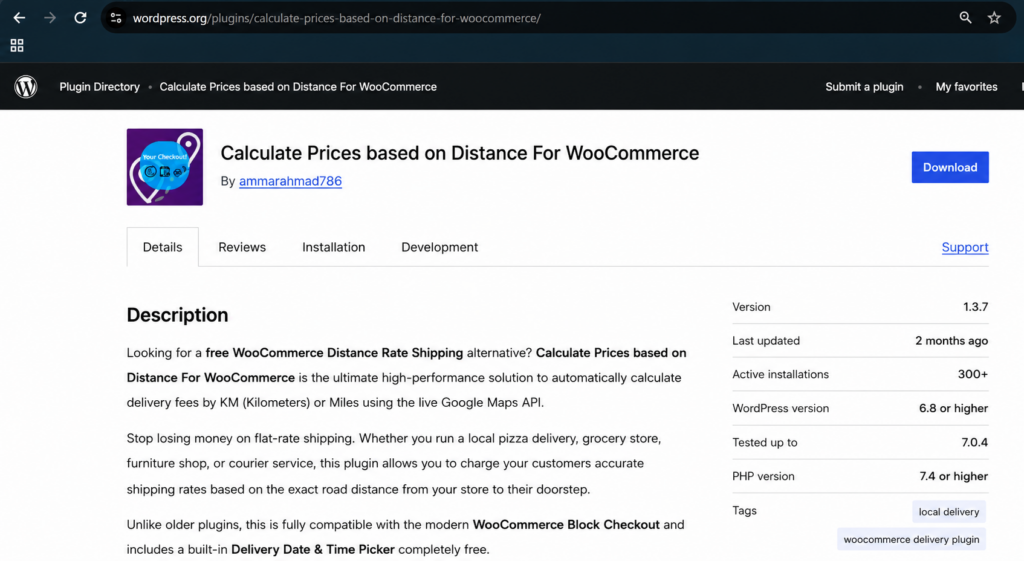
Table of Contents
- What is WooCommerce Delivery Fee by Distance
- Why Flat Rate Delivery Fails
- How to Set Up Delivery Fee by Distance
- Free vs PRO Features
- Delivery Fee by Distance Examples
- FAQ
What is WooCommerce Delivery Fee by Distance
A WooCommerce delivery fee by distance automatically calculates how much to charge each customer based on the exact driving distance between your store and their address. Instead of charging everyone the same flat rate, every customer pays a fair fee based on their location.
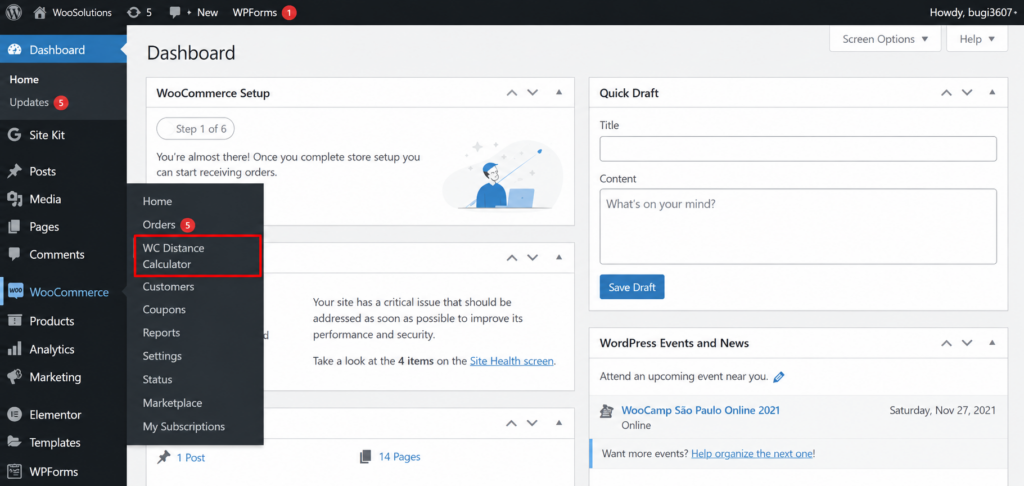
Our free plugin uses Google Maps API to calculate the real driving distance and applies your preset delivery fee instantly at checkout. No coding needed and setup takes under 10 minutes.Once installed, the plugin appears directly
inside your WordPress dashboard under WooCommerce — WC Distance Calculator, where you can configure all your delivery settings in one simple place.
Why Flat Rate Delivery Fee Fails WooCommerce Stores
Most store owners start with a flat delivery fee without calculating distance. This creates two costly problems:
❌ Customers 1km away pay the same as customers 20km away — nearby customers feel overcharged and abandon their cart.
❌ Far customers cost you more than they pay — you lose money on every distant order.
Example with $8 flat rate:
Customer 1km away pays $8 — feels unfair, may not order again.
Customer 20km away pays $8 — costs you $18 in fuel and time.
A WooCommerce delivery fee by distance fixes both problems automatically for every single order.
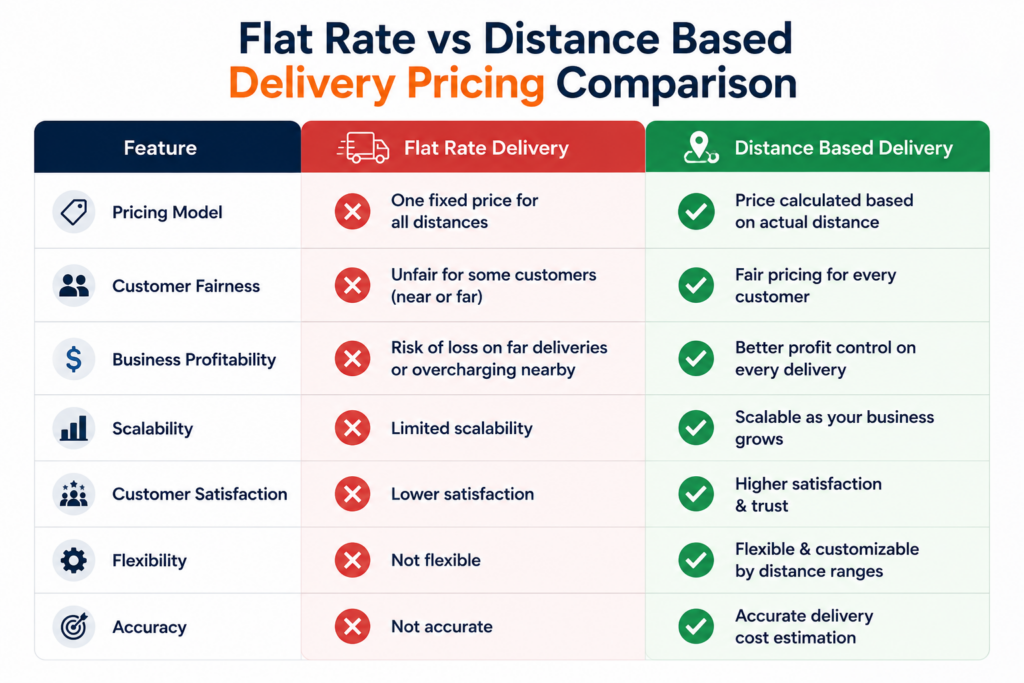
According to BigCommerce research, stores using distance-based pricing see up to 23% fewer abandoned carts compared to flat rate shipping.
How to Set Up WooCommerce Delivery Fee by Distance
Follow these simple steps to set up automatic delivery fee by distance in WooCommerce:
Step 1: Install the Free Plugin
Search for “Calculate Prices Based on Distance For WooCommerce” in your WordPress plugin directory and install it for free. Or download directly from WordPress.org.
Step 2: Get Your Google Maps API Keys
The plugin requires two separate Google Maps API keys for security. Follow our simple step-by-step guide: How to Get Google Maps API Key
Step 3: Enter Your Store Address
Go to WooCommerce > WC Distance Calculator and enter your store address. This is the starting point for all distance calculations.
Step 4: Set Your Delivery Fee by Distance Ranges
Configure your price ranges based on distance. For example:
0 – 5 km: $5 flat fee
5 – 10 km: $8 flat fee
10 – 20 km: $15 flat fee
20 km+: No delivery or custom quote
Step 5: Test at Checkout
Visit your checkout page, enter a test delivery address and click Calculate Delivery Fee. The exact fee will be applied instantly based on the driving distance.
See our complete setup guide here: Step by Step Setup Guide
Free vs PRO Delivery Fee by Distance Features
Here is what you get in the free version vs PRO version:
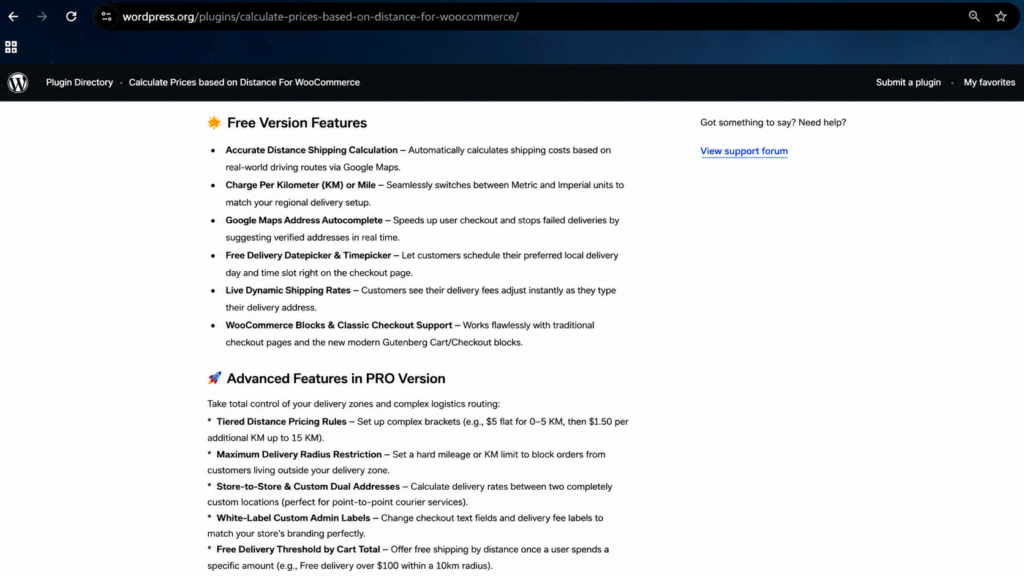
Free Version Includes: Download Now
✅ Charge delivery fee per KM or Mile
✅ Google Maps address autocomplete
✅ Store Pickup option
✅ Works with Block and Classic Checkout
✅ Built-in Date and Time Picker
✅ Live Dynamic Shipping Rates
✅ 300+ Active Installs
PRO Version Includes: Buy Now
⚡ Tiered distance pricing ranges
⚡ Maximum delivery radius restriction
⚡ Free delivery threshold by cart total
⚡ Force address verification at checkout
⚡ Dual address pickup and delivery mode
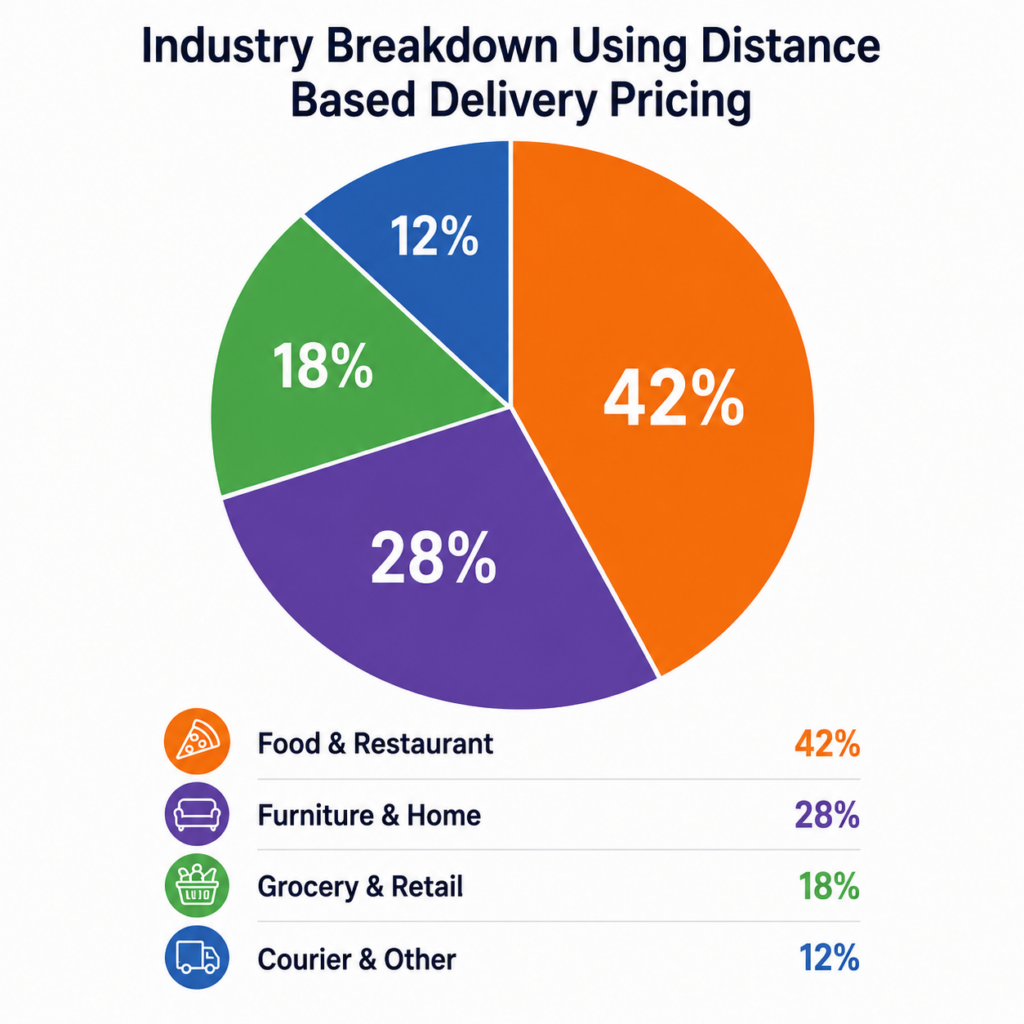
WooCommerce Delivery Fee by Distance Examples
Here are real examples of how different businesses set up their delivery fee by distance:
🍕 Restaurant Example:
0-3km: $3 flat fee
3-7km: $6 flat fee
7-15km: $10 flat fee
15km+: No delivery
🛋️ Furniture Store Example:
0-10km: $40 flat fee
10-25km: $80 flat fee
25-50km: $150 flat fee
🛒 Grocery Store Example:
0-3km: $3 flat fee
3-8km: $6 flat fee
8-15km: $10 flat fee
Free delivery on orders over $80
WooCommerce Delivery Fee by Distance FAQ
How do I charge delivery fee by distance in WooCommerce?
Install Calculate Prices Based on Distance For WooCommerce from WordPress.org. It uses Google Maps to automatically calculate the exact delivery fee for every customer based on their driving distance from your store.
Is WooCommerce delivery fee by distance free?
Yes. Our plugin has a completely free version on WordPress.org. PRO version with tiered pricing and advanced features is available at $49.99 CAD per year.
Does Google Maps cost money for delivery fee calculation?
Google Maps API offers 10,000 free requests per month. Most small WooCommerce stores never exceed this limit and pay nothing.
Can I set different delivery fees for different distances?
Yes. The PRO version supports tiered distance pricing ranges. Set different fees for 0-5km, 5-10km, 10-20km and so on.
Does it work with WooCommerce Block Checkout?
Yes. Our plugin is fully compatible with both Classic and Block checkout unlike many competitor plugins.
What happens if a customer is outside my delivery area?
You can set a maximum delivery radius in the PRO version. Customers outside that radius will see a custom message saying you do not deliver to their area.
Start Charging a Fair WooCommerce Delivery Fee by Distance Today
Stop losing money on flat rate delivery. Let Google Maps calculate the exact fee for every customer automatically.
Test the Plugin Live (Free vs PRO Comparison)
Last Updated: June 2026