
Searching for a plugin for WooCommerce usually means one thing: something in your store isn’t working the way you need it to, and you’re not sure which plugin actually fixes it.
WooCommerce has over 60,000 plugins in its ecosystem, and most “best plugins” lists just dump names at you without asking what problem you’re actually solving first. This guide works backward from your problem instead — six categories, what each one actually fixes, and how to know which one you’re really dealing with.
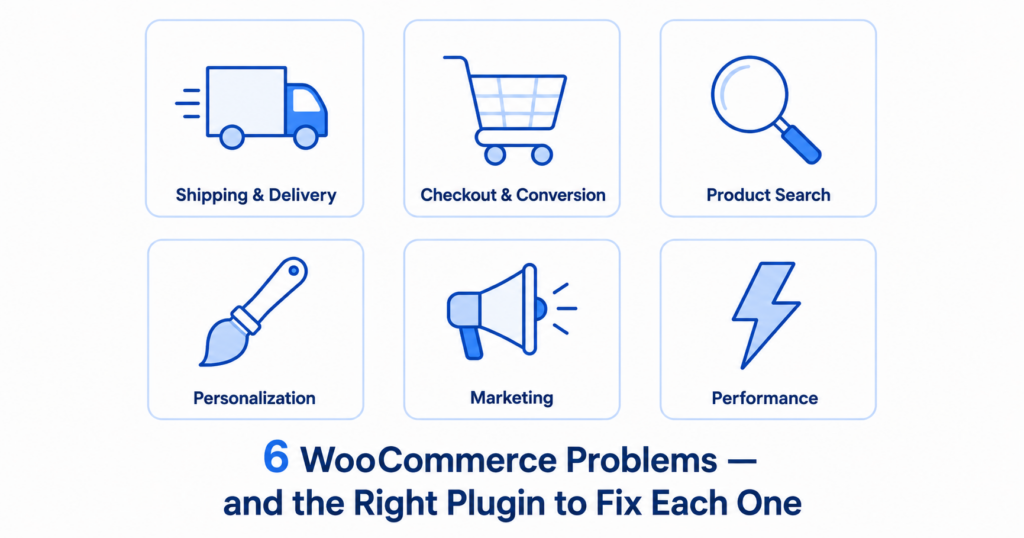
Table of Contents
-
- 6 WooCommerce Problems — and the Right Plugin to Fix Each One
- How to Know Which Category You’re Actually In
- FAQ
6 WooCommerce Problems — and the Right Plugin to Fix Each One
1. Shipping & Delivery
Your problem: customers are paying the wrong amount for delivery — too much if they’re close, too little if they’re far. Customers outside your delivery zone can still place orders, costing you time and money on every cancellation.
This happens because most stores rely on flat rates or hand-drawn zones, neither of which reflects actual driving distance. The fix is Calculate Prices Based on Distance For WooCommerce — a free plugin that uses Google Maps to calculate real driving distance and automatically charges each customer the right delivery fee based on their exact location. No coding required, setup takes under 10 minutes.
2. Checkout & Conversion
Your problem: people are adding items to cart but leaving before paying — the WooCommerce average cart abandonment rate sits around 70%.
A big share of that comes from unexpected costs appearing too late, too many form fields, or a checkout that forces a detour through the cart page first. CartFlows is the most widely used free option here (200,000+ active installs, 4.8 stars) — it replaces the default WooCommerce checkout with a streamlined flow and lets you customize form fields directly. For abandonment recovery, pair it with Cart Abandonment Recovery for WooCommerce.
3. Product Discovery & Search
Your problem: customers can’t find what they’re looking for.
WooCommerce’s built-in search only queries product titles and descriptions through WordPress’s core SQL engine — it ignores SKUs, tags, categories, and variations entirely, and has no typo tolerance. FiboSearch (formerly Ajax Search for WooCommerce) is the most established fix, with a generous free tier that adds live AJAX autocomplete showing product images and prices directly in the dropdown as customers type.
4. Product Personalization
Your problem: you sell customizable or made-to-order products, but WooCommerce’s default variation system was built for simple attributes like size or color — it can’t handle text inputs or file uploads without becoming unmanageable.
The standard fix is WooCommerce Product Add-Ons, the official Woo extension for adding custom fields (checkboxes, dropdowns, text boxes, file uploads) directly to product pages. If you need conditional logic — fields that show or hide based on earlier selections — pair it with Gravity Forms Product Add-Ons instead.
5. Marketing & Sales Display
Your problem: customers don’t realize how much they’re saving, which quietly costs you conversions — shoppers who don’t feel they’re getting a clear deal are more likely to hesitate at checkout.
You Save for WooCommerce is a free, lightweight plugin built exactly for this: it automatically calculates the difference between regular and sale price and displays a “You Save $X” or “You Save X%” badge on shop pages, single product pages, and the cart, adjusting automatically when coupons are applied.
6. Store Speed & Technical Performance
Your problem: pages load slowly, or checkout feels sluggish — and this category matters more than it gets credit for, since a slow store quietly loses sales before a customer even sees your other plugins working.
Caching is usually the single biggest 15-minute fix available. WP Rocket is the most consistently recommended paid option because it automatically excludes WooCommerce’s cart, checkout, and account pages from caching. If you want a free alternative, LiteSpeed Cache performs very well, especially if your host runs LiteSpeed servers.
How to Know Which Category You’re Actually In
Ask yourself where the complaint is coming from.
If customers complain about delivery fees at checkout, that’s category 1 or 2. If they say they “couldn’t find” something, that’s category 3. If they ask “can I customize this?”, that’s category 4. If they don’t complain but you notice low average order value, that’s category 5. If nothing seems wrong but sales feel lower than expected, check category 6 first — a slow site masks every other problem. Once you know your category, picking the right plugin for WooCommerce becomes a much narrower, faster decision.
FAQ
Q: What is the best plugin for WooCommerce local delivery pricing?
A: Calculate Prices Based on Distance For WooCommerce. It uses Google Maps to automatically calculate delivery fees based on real driving distance. Free version available on WordPress.org with PRO at $49.99 CAD/year.
Q: What is the best free plugin for WooCommerce checkout optimization?
A: CartFlows is the most widely used option with 200,000+ active installs and 4.8 stars. It replaces the default checkout with a streamlined flow and reduces cart abandonment significantly.
Q: How do I improve product search in WooCommerce?
A: FiboSearch (formerly Ajax Search for WooCommerce) is the most established fix. It adds live autocomplete with product images and prices, and handles SKUs, tags, and variations that default WooCommerce search ignores.
Q: How do I add custom fields to WooCommerce products?
A: WooCommerce Product Add-Ons is the official extension for adding checkboxes, dropdowns, text inputs, and file uploads to product pages. For conditional logic pair it with Gravity Forms Product Add-Ons.
Q: How do I show customers how much they are saving in WooCommerce?
A: You Save for WooCommerce is a free lightweight plugin that automatically displays a “You Save $X” badge on product pages and cart, adjusting automatically when coupons are applied.
Q: What is the best caching plugin for WooCommerce?
A: WP Rocket is the most consistently recommended paid option as it automatically excludes WooCommerce cart and checkout pages from caching. For a free alternative LiteSpeed Cache performs very well especially on LiteSpeed servers.
Picking the right plugin for WooCommerce starts with knowing your category, not browsing a “top 10” list. Need help with the shipping category specifically? Contact our support team. Visit RoutePricing.com for complete shipping guides.